Connect with suppliers and seamlessly share data

Drive collaboration across suppliers and vendors by seamlessly sharing versioned designs with them. Receive documents and DFM in a centralized portal
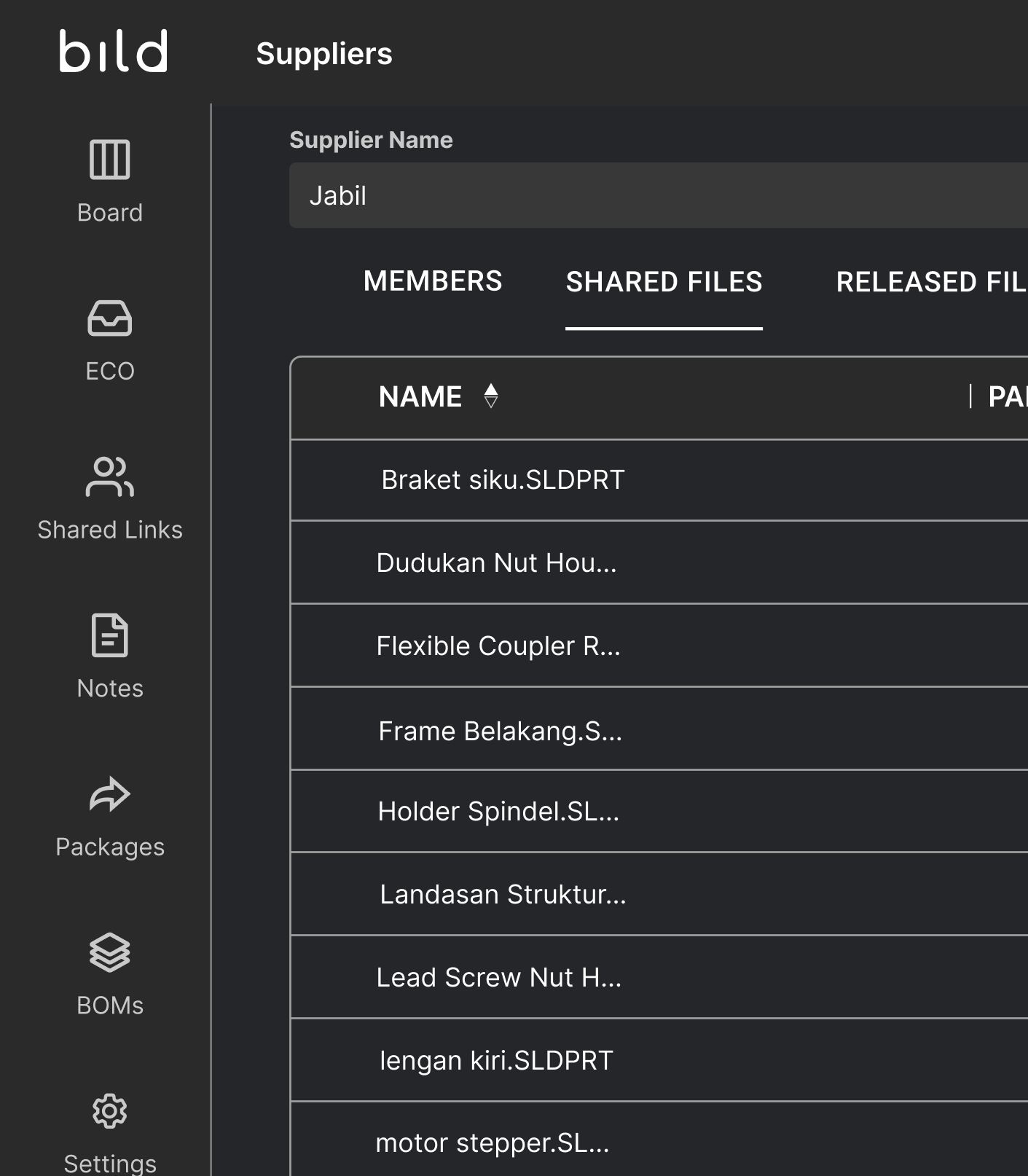
Bild Suppliers portal showing files shared with the supplier Jabil, including SolidWorks part files for brackets, nut housings, and couplers.

Access controlled to selectively share designs to specific suppliers

Suppliers receive information they are shared, and can share documentation back

Suppliers only see data they share, creating walls between suppliers

Easily see which designs are being shared to a specific supplier and which suppliers have access to a specific design

Add and manage alternate suppliers

Security at the heart of it

SOC2 Type 2 Certified

Certified with trusted security frameworks used by enterprises across the world

SSO & MFA

Ensure your account is safe with custom integrations to your enterprise's infrastructure

Encrypted backups

Worried about an accidental deletion of design files? We have encrypted backups

Role based access controls

Enable different user permissions and visibility for members across your organization

ITAR compliant

Dedicated ITAR compliant environments for teams with complex compliance requirements

AES-256 encryption

All data is encrypted in-transit and at rest, so no data can be leaked

Built for hardware teams like yours

Empowering teams to build smarter, faster, and together.

“Sharing with version and live links replaced messy email threads and expiring FTP transfers.”
Stephen Kender
Lead CAD Engineer
Saas Ai Webflow Website Datalog TemplateSaas Ai Webflow Website Datalog Template
“We love the ability to share a live link to a model. I can send it to my PM or to our supplier and be 100% sure they’re seeing the right version.”
Evan Bennis
Engineer
Saas Ai Webflow Website Datalog TemplateSaas Ai Webflow Website Datalog Template

FAQs

What types of files can I share with suppliers in Bild?

You can share any file stored in your Bild vault with suppliers, including CAD files, drawings, PDFs, and technical documentation. When sharing files through the Bild Supplier Portal, you control whether suppliers can view files in the built-in 3D viewer or download native CAD formats or universal formats. You can also choose to share the latest working version or only the latest released version of a design.

Can I control or change supplier access permissions?

Yes. You can update supplier permissions at any time in the Bild Supplier Portal. This includes removing files to revoke access or adjusting whether suppliers can download native CAD files, universal formats, or only view files.

Can suppliers share files back to our team?

Yes. The Supplier Portal is a two-way portal where suppliers can upload and share files directly back to your team.

Is supplier information private from other suppliers?

Supplier access in Bild is private and isolated. Suppliers cannot see other supplier groups, projects, or shared files outside of what you explicitly grant them access to.

Do suppliers need CAD licenses to view shared files?

No. Suppliers do not need a CAD license to view files shared through the Bild Supplier Portal. They can open designs directly in the built-in 3D viewer, where they can explode assemblies, take measurements, and view cross-sections.


Ready to dive in?

Join the thousands of engineers innovating with Bild